Dotted Eighth Delay Studies

Setting up the U2/Hillsong delay in a variety of situations.

The Sessionists

Esther Subra (vocals), Serena Chew (keys), Justin (guitars), Alphonsus (drums and percussion)

Thoughts on G.A.S.

Why you should save up for an expensive guitar.

Setting Up Disaster Area DPC-8EZ and DMC-8D MIDI Controllers

An easy-to-follow video tutorial to get those patches programmed!

An Overview of My YouTube Channel

Feel free to browse some of the playlists on my channel. Hopefully this leads to you liking and subscribing!

Showing posts with label Recording. Show all posts

Saturday, February 27, 2016

Direct Recording with the GT2

(This is an old post which was left in my "Drafts" folder, and I must have forgotten to publish it. So rather than keeping it hidden, here it is!)


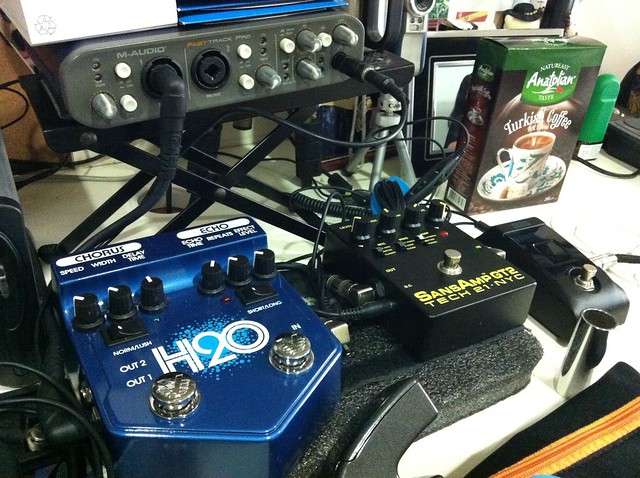
Less doesn't necessarily mean losing out. A smaller car is still a means of transportation, and it can have features which bigger cars lack (a retractable roof on a cabriolet over an ordinary sedan, for example). Likewise, when I was attempting to record using the SansAmp GT2, I found that its simplicity was its greatest strength. Here's my entire recording rig:

  • A tuner to keep the guitars in tune
  • The SansAmp GT2, an amp simulator with an arsenal of tone at my fingertips.
  • The Visual Sound H20, which provides depth to the tone with delay and chorus. I find that even when used in the "short" delay mode for a really fast slapback, the H20 has this effect of making your notes stick out more.
  • My trusty M-Audio Fast Track Pro. To keep the preamp noise of the FTP low, I set the gain to about 50% up, and adjust the Input gain of the GT2 to taste. I like to record to -6dB, which seems to be the threshold at which the guitar tone "speaks" with clarity, but that's my personal preference.


Character switches include
MIC:
  • Classic = distant miking without ambiance.
  • Center = close miking at the center of a speaker cone.
  • Off-Axis = close miking at the edge of a speaker cone.
MOD:
  • Clean, which gives you a stock tube amp set-up.
  • Hi Gain, which gives you an extra gain stage, as if you were to install an additional 12AX7 tube in the pre-amp section.
  • Hot-Wired, which gives you a scooped-out midrange for a sizzling, over-the-edge quality.
AMP:
  • Tweed = Fender®-style
  • British = Marshall®-style
  • California = Mesa Boogie®-style


Check out the Marshall tone from this setup!


It's great for bass tones too. I set this tone up using the manual's setting for "SVT Bass" style:


Friday, January 17, 2014

Gear Review: The Matthews Effects ICY Buffer


I have a lot of cable running between my guitar to the pedalboard and to the amp, and because my pedals are mostly "true bypass" and I don't use all of them at once, I end up having a giant hi-pass filter in the rig and I lose some high end. When I record, I always have to post-process and add the "sparkle" in by countering the effects of the hi-pass filter.

When I added the Matthews Effects ICY Buffer into my rig, there was a huge difference in the tone--not that it added tone, but it restored the highs in my signal. The result? More sparkle, more definition and clarity, and perhaps most importantly, it made my rig more fun to play. And when you're having fun with your tone, you can concentrate on what's important: the MUSIC.

The effect of long cables and how the buffer restores high end in the rig:

Full review with A/B comparison of clean, dirty, crunch, lead and wah tones:

I recorded all of this through my Mooer Micro-DI with cabinet simulation.

Thursday, February 28, 2013

Jailbreak Woes Part 2: When Apps Crash on Loading

I used iMovie for a good part of an afternoon to film and edit clips. It was easily 3 hours worth of work, and I was wrapping up the day's editing and ready to export my videos.

The unthinkable happened. I exited the app to check out my Whatsapp messages, and when I tried to re-open the app, it just won't open. Every method I tried resulted in the same result: app crash! I tried to kill the app from the app switcher and re-open the app. I tried soft resets, hard resets, using iCleaner, checking out if files were corrupted using iFile...everything didn't work!

Then the thought occurred to me that maybe it was crashing because I was working on a new movie project, I wasn't satisfied with the clip, removed the clip (so the project board was empty) and exited the app at the same time. This meant that iMovie was trying to save a project that had an empty project board.

So I rebooted my iPad in Safe Mode--and it worked! I could load iMovie without it crashing on me. And true enough, the project I was working on was empty, as the title screen for that project was showing a total duration of 0:00. I removed that dud project, exited Safe Mode, and I was back in business.

Safe Mode. It really works.

And here's the video I was making that started with a dud project board:

How to spot a vintage stratocaster

Saturday, January 21, 2012

The Rig (Superceded)

An electric guitarist uses pedals to achieve his tone in the same way an artist uses a palette of colours to paint; every pedal's tone has a unique nuance, and when blended with other pedals in the right proportion, gives a guitarist his signature sound, in tandem with his choice of guitar, amp, and most importantly, his playing style.

I've built this pedalboard with two objectives in mind: to be able to recreate similar tones live and in the studio, and to be as diverse as possible to cover the spectrum of British and American guitar tone.

It starts with a wah pedal, and I've chosen the Budda Bud-wah. This comes first to ensure the pedal receives the cleanest possible signal from the guitar. While it doesn't have the widest of available sweep range, it compensates by being very vocal-like in its expression. Its highs aren't shrill, and its lows aren't honky, which to my ears makes it very warm and wraps around the notes rather than cause them to stick out too much. I didn't know this until recently, but it's also the wah Andy Timmons uses.
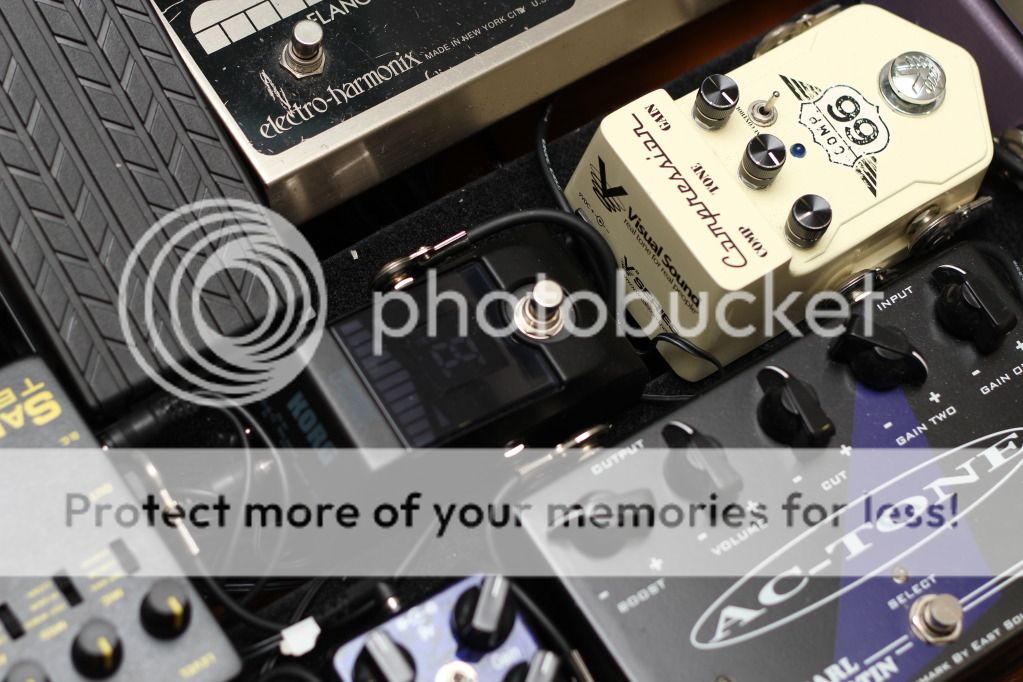
Compression is actually meant to keep your guitar in a specific dynamic range so that you won't "disappear" into the mix. I especially like compressors with some EQ tweakability to adjust how bright or how dark you want the compression to be. This is the Visual Sound Comp 66, which is the Compressor side of the famous Route 66 pedal. I use the Tone knob as the Master EQ of my rig, controlling the amount of high-end required between a Les Paul, a Strat and Tele.
Now comes my overdrive section, which I admit has quite a few pedals (half of my board is occupied by drive). I wanted to be as diverse as possible when it came to overdrive, so I opted for pedals which are voiced more like "amps-in-a-box". I like the chime of a Vox AC-30, the sponginess and warmth of a Fender Deluxe Reverb, and the bluesy roar of a Marshall JTM-45. I couldn't decide on just one...so I got three distinct pedals dialled to emulate those tones.

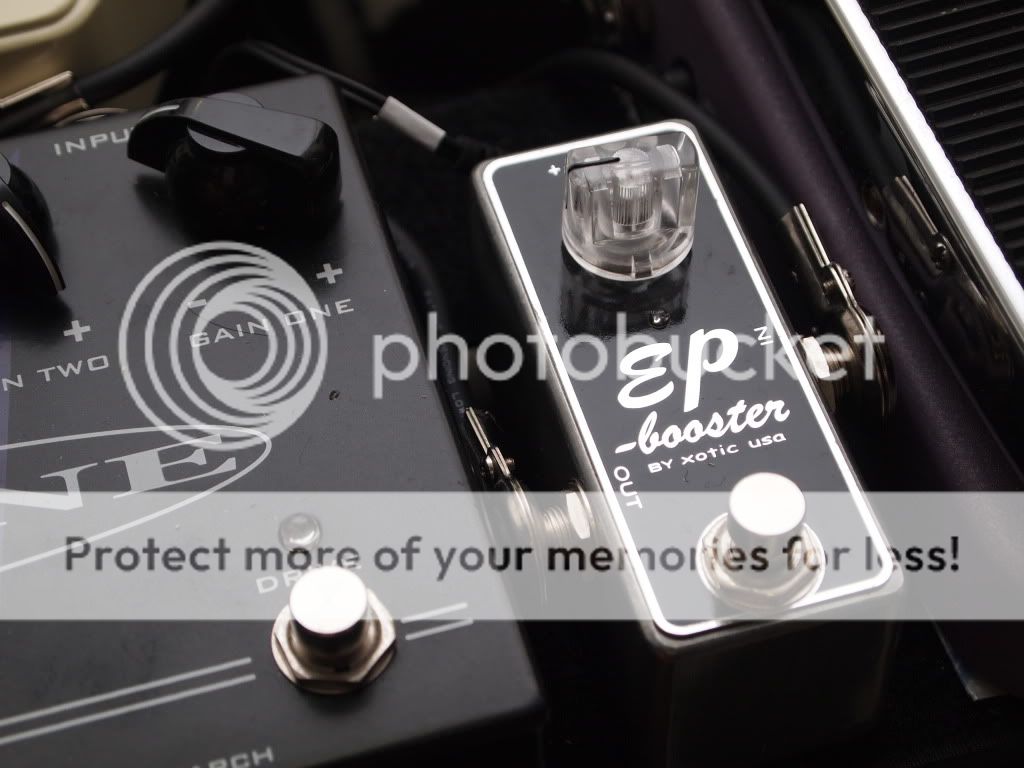
I have two EP boosters, which I've explained here how I've set them up, and the first helps to push my main overdrive pedals harder to get more gain and compression out of them. This is run at 18V and is in the Vintage setting (bright switch off, bass boost off).
The Carl Martin AC Tone is the closest you'll get to a Vox AC-style sound. I've owned an AC15 before, and can attest to its authenticity, with the best function being the Cut, which works just like the real deal! This pedal's Gain One is nearly always on because I switch between a clean tone and a slight crunch tone with my guitar volume. Gain Two, independently voiced, is cranked all the way for my dirty crunch (naturally). This pedal also has a nice pure clean boost which thickens up the rest of the overdrives in the chain.

If you're running this pedal by itself, you're able to get a boxy Vox roar by cranking the boost about midway, leaving it on, and adjusting the gain to taste with the Gain channels.
The next two pedals are my favorites: the BB Preamp and the Paul Cochrane Timmy. One way to judge how much a pedal is worth is to see how frequently it appears on the buy/sell forums--and these pedals pop up very rarely. The BB is the most versatile of the Xotic range (which includes the RC and AC Boosters) with a very musical EQ section. I've set it up with the gain cranked all the way and a slight treble boost, which sounds great for those thick and cutting riffs, and fluid, singing leads.

The Timmy is the best transparent overdrive you'll ever get. It takes what you give it and just puts out more--so a Strat still sounds like a Strat, but beefier and fatter, and a Les Paul still sounds like a Les Paul, but with greater edge and articulation. It also has atypical reverse taper knobs, so I've actually set it up for a treble cut (contrary to what the picture suggests). It's also set in the 3rd switch position, which is the most compressed and to my ears emulates the nuances of 6V6 power tubes.
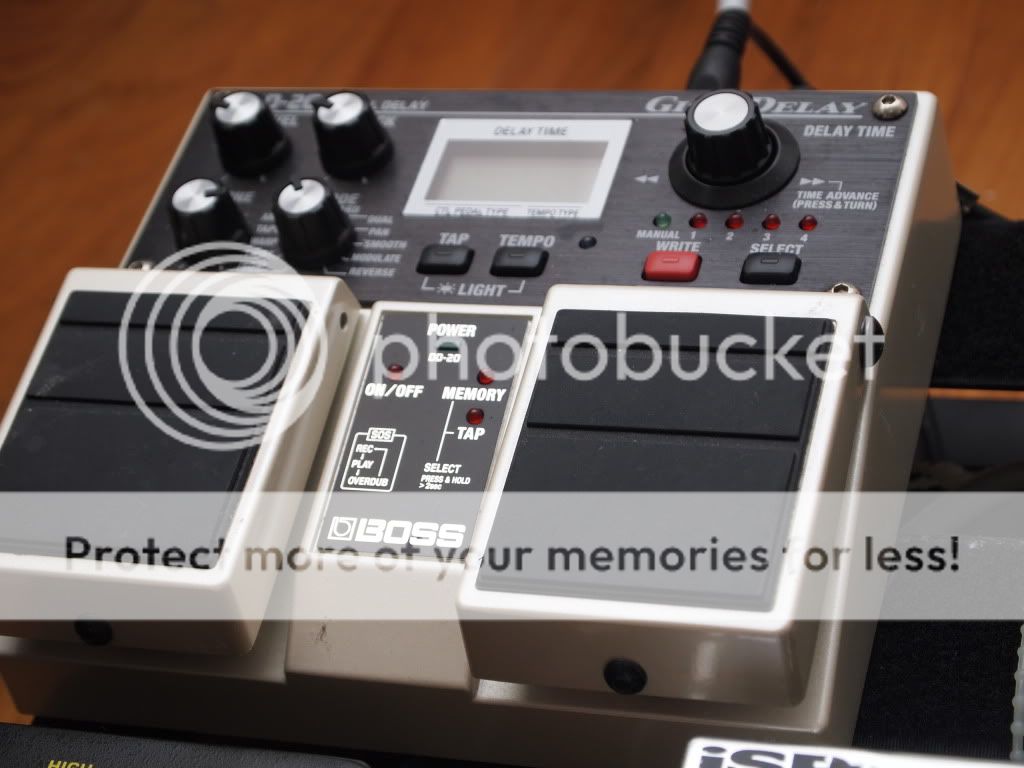
The 2nd EP Booster is the Version 2, set to unity gain and helps clean up the overdriven tones in the right direction--like an EQ pedal with all the right settings tweaked in. Pictured next to it is a simple TYMC tap tempo switch for my Boss DD-20, and I hooked it up using a spare karaoke cable I found lying around the house.
The next two pedals are inverted to allow easier signal patching, otherwise I'll have to use much longer patch cables. I have an ISP Decimator to cut out the noise from my overdrive section, and I have a SansAmp GT2 for amp simulation.

Alright, I'll admit, I'm still pretty much a digital junkie at heart. These things never die on you, unlike an amp which can change its character drastically on a bad day. The SansAmp GT2 works best as an amp simulator straight to the PA, so don't run this like you would a stompbox into an amp. Having the EP Boosters really helps to warm up the signal to recreate the organic character of an amp. I've found that the best setting so far is the British amp on Clean with a Center or Off Axis mic (Off Axis sounds better for recording). The first time I used this for a show, the sound guy was sure I was hiding an amp somewhere off-stage.
The Korg Pitchblack is quickly becoming a staple pedal on my friends' pedalboards simply because it's cheap. And I'll admit, that's the only reason why I got it. It's wired to the tuner-out of my volume pedal.
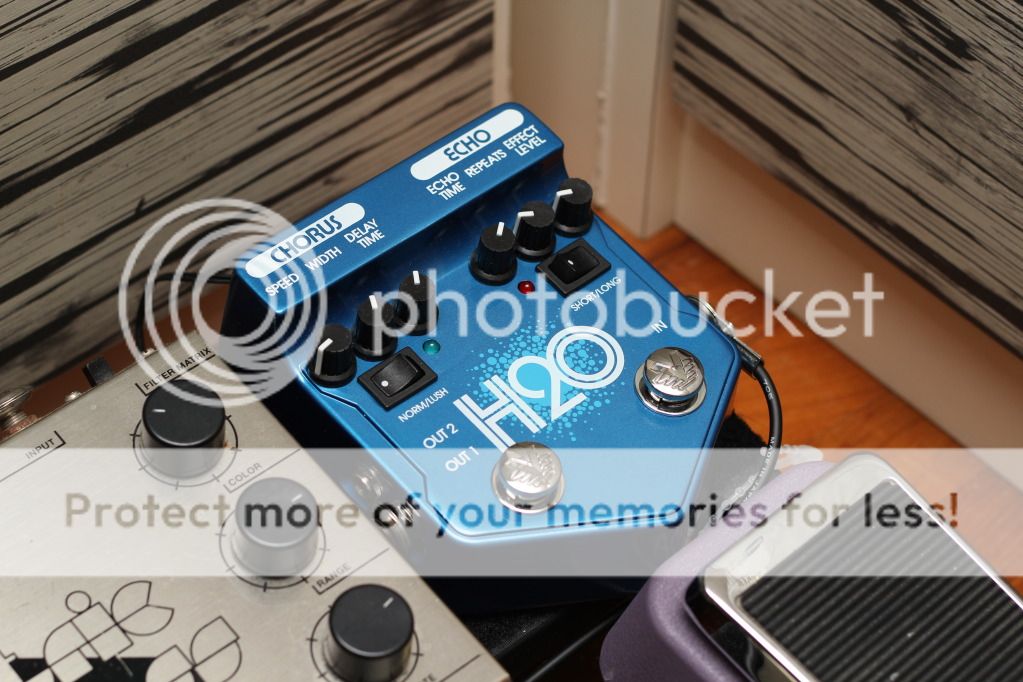
Buying a pedal on impulse is never a good idea. I got the Visual Sound H20 because I needed a delay and a chorus for overseas gigs, and when I returned, I was determined to sell it. However, nobody wanted to pick it up, so it's found its way onto my main pedalboard! The delay side of this pedal has a strange side effect of taking my entire guitar tone and clean it up somehow (maybe because it's buffered-bypass), so it's almost always on.
This is an OLD pedal, with the serial number dating it to the early 80's. The previous owner modded it to run on 18V and added a Filter Matrix on/off switch so that he doesn't need to bend down to toggle the Filter Matrix switch. I use this for nice Police-style flange and faux Leslie tones.
Last but not least, I use a Boss Giga Delay, or more commonly known as the DD-20. I can't afford an analog delay, and I probably will never own an Echoplex, but I can live with something that provides warm delays, tap tempo control, an awesome-sounding true stereo out delay (the Pan function is my favorite), and being able to save 5 presets.

In summary, my board provides essentially 3 kinds of sounds: drive, chorus/flange and delay, which is more than enough to cover the basic, core tone of the electric guitar.

Sunday, December 18, 2011

Dialling PODX3 Tones

The little black corner of the room
I was a devout multi-fx user for a great bulk of my life as a guitarist. I figured that it was possible to get by with emulation

While the stock tones were usable in only certain situations, they were nowhere near as organic as what the PODX3 clips were suggesting through my guitars (I suppose that's the beauty of having access to expensive guitars and paying sound engineers to post-process your clips).

Alas, we must work-around the problem at hand. Here are three of my biggest tips for PODX3 users:

Patches for live should be different from patches used to record
You have 128 patch locations at your disposal. Surely you can spare some for various situations. For playing live, I'd get rid of the reverb, tweak the EQ in the midrange to get the guitar to cut through, and generally don't use too much high gain tones because it just gets muddy when mixed together with the rest of the band.

Different guitars need different patches
The problem with digital is that all the nuances accompanying your guitar get lost; every guitar starts to sound the same, just with differing levels of drive, spank and twang (I'm grossly generalizing the differences between a Les Paul, a Strat and a Tele, by the way). I've had to specifically dial in tones that accentuate the nuances, quite unlike my analog rig where most of my pedals are transparent, allowing the character of the guitars to shine through even on the same settings.

A 4x12" cab sim sounds great recorded, but it's going to be boomy and muddy live
The sound guys will be immensely happy if you helped them focus your sound to the mids where the guitar's voice predominantly is, instead of having the big, large and full-range tone that the 4x12" cab sims try to emulate.

And for those who asked:
My top 4 most used tones to date which work best for live situations straight into a PA using a humbucking guitar that has a coil split.

For further reading:
Benvesco's Blog (The person who taught me a lot about tweaking the POD)
089Ray's Blog (This person has spent many hours tweaking, and he's got a great ear. Check it out!)

Twitter Delicious Facebook Digg Stumbleupon Favorites More